SHLDr Captain – Emergency Responder App
A mobile application designed for emergency response captains to manage their availability, view their location on a map, access trip statistics, monitor earnings and manage their professional profile. The application brings essential captain activities together through a simple mobile interface.
About SHLDr Captain
SHLDr Captain is a mobile application interface created for captains within an emergency responder network. The home screen provides a map view, online status control and a summary of trip-related information. Dedicated navigation sections provide access to Schedule, Earnings and Profile.
Key Areas
- Mobile number sign-in and account registration
- Map dashboard with location indicator
- Online availability control
- Trip count and earnings summary
- Schedule and earnings navigation
- Captain profile and account settings
- Vehicle documents and ratings
- Language selection and help and support
Explore the SHLDr Captain Application
An overview of the supplied login, map dashboard and captain profile screens.
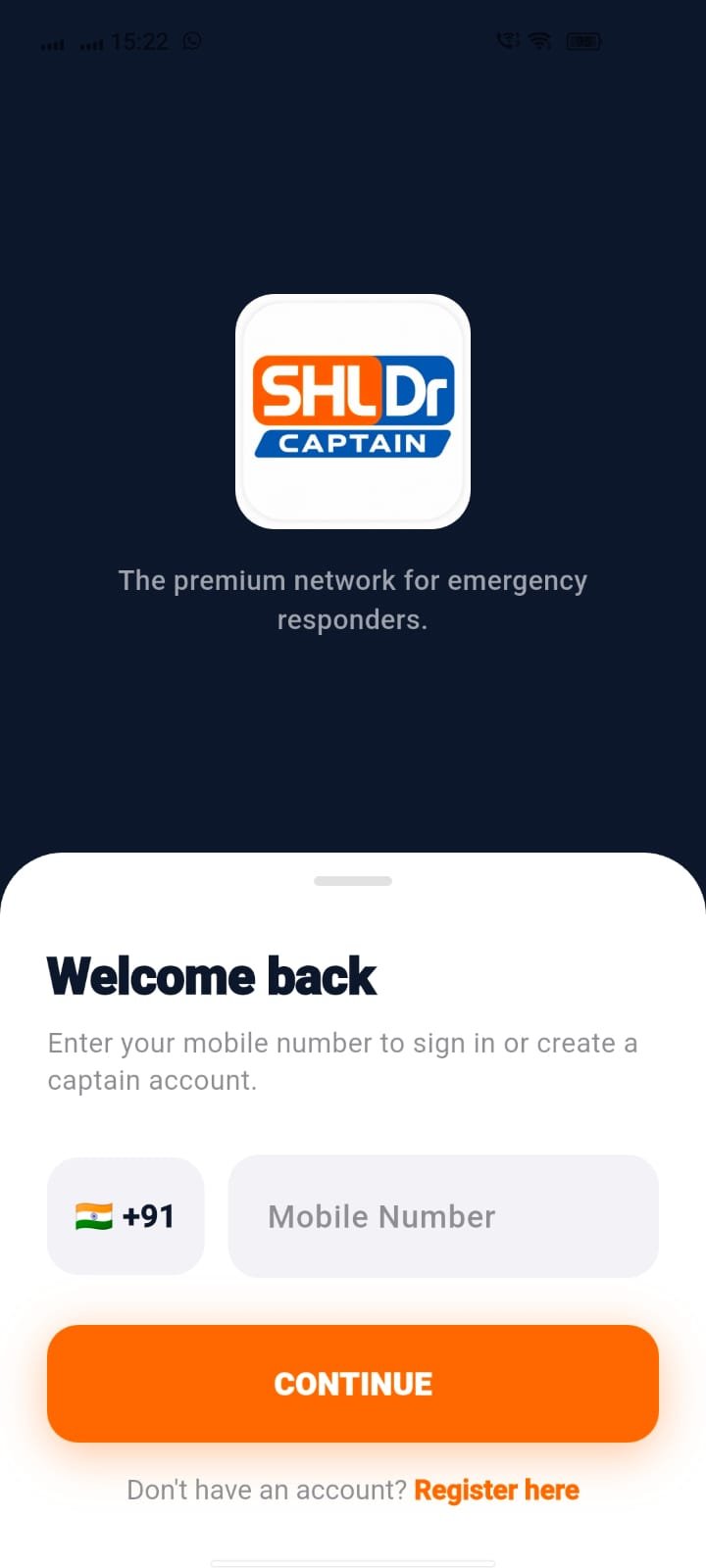
Mobile Number Login
The welcome screen introduces the SHLDr Captain application with its logo and the tagline "The premium network for emergency responders." The sign-in interface allows captains to enter their mobile number to begin the login process or create a captain account.
The screen includes the Indian country code, a mobile number input field, a prominent Continue button and a registration link for new users.
CAPTAIN SIGN-IN INTERFACE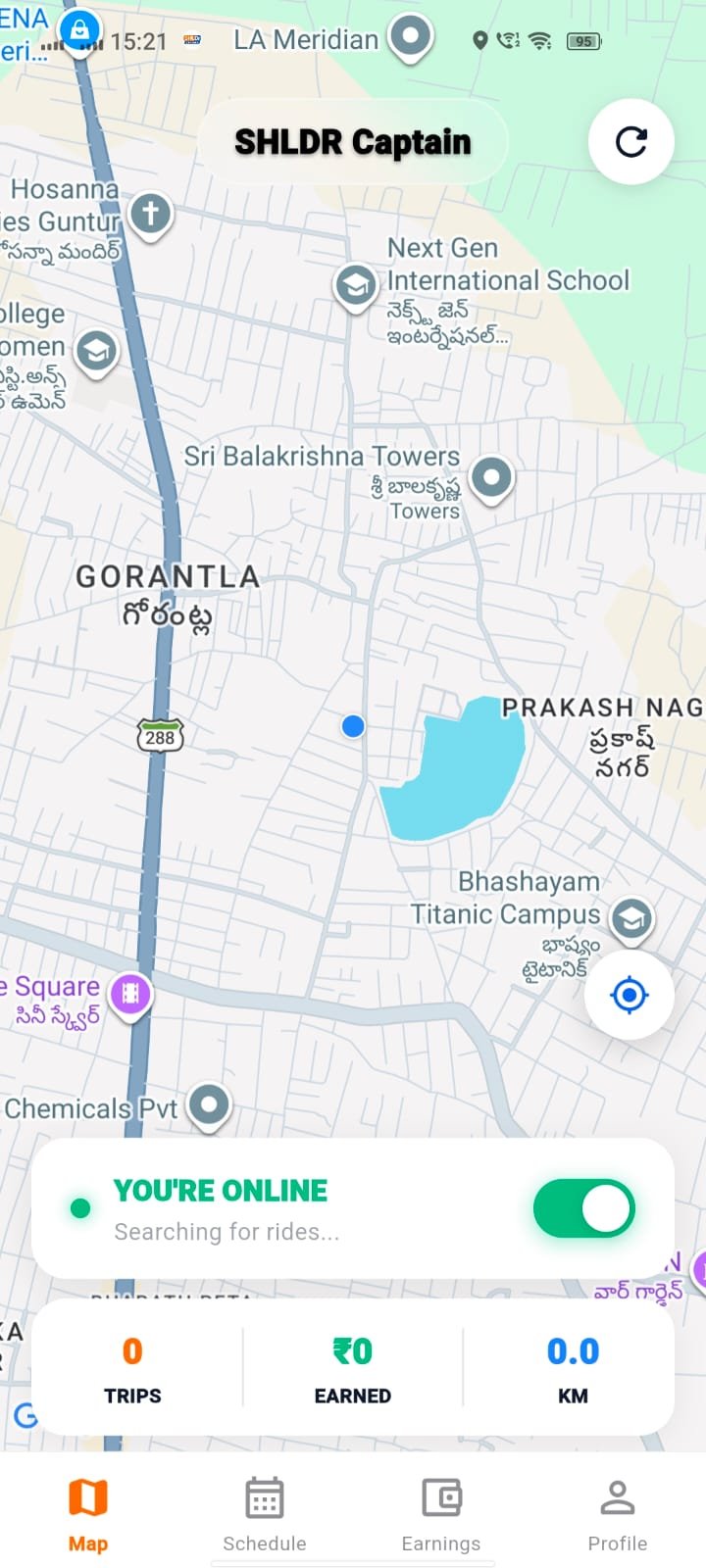
Map
The map dashboard displays a location-based view with a current location indicator and map controls. A refresh control and a location button are visible on the map interface.
An online availability panel displays the current status and searching-for-rides message. The dashboard also displays trip count, earnings and distance travelled in a summary panel.
The bottom navigation provides direct access to Map, Schedule, Earnings and Profile.
MAP & TRIP OVERVIEW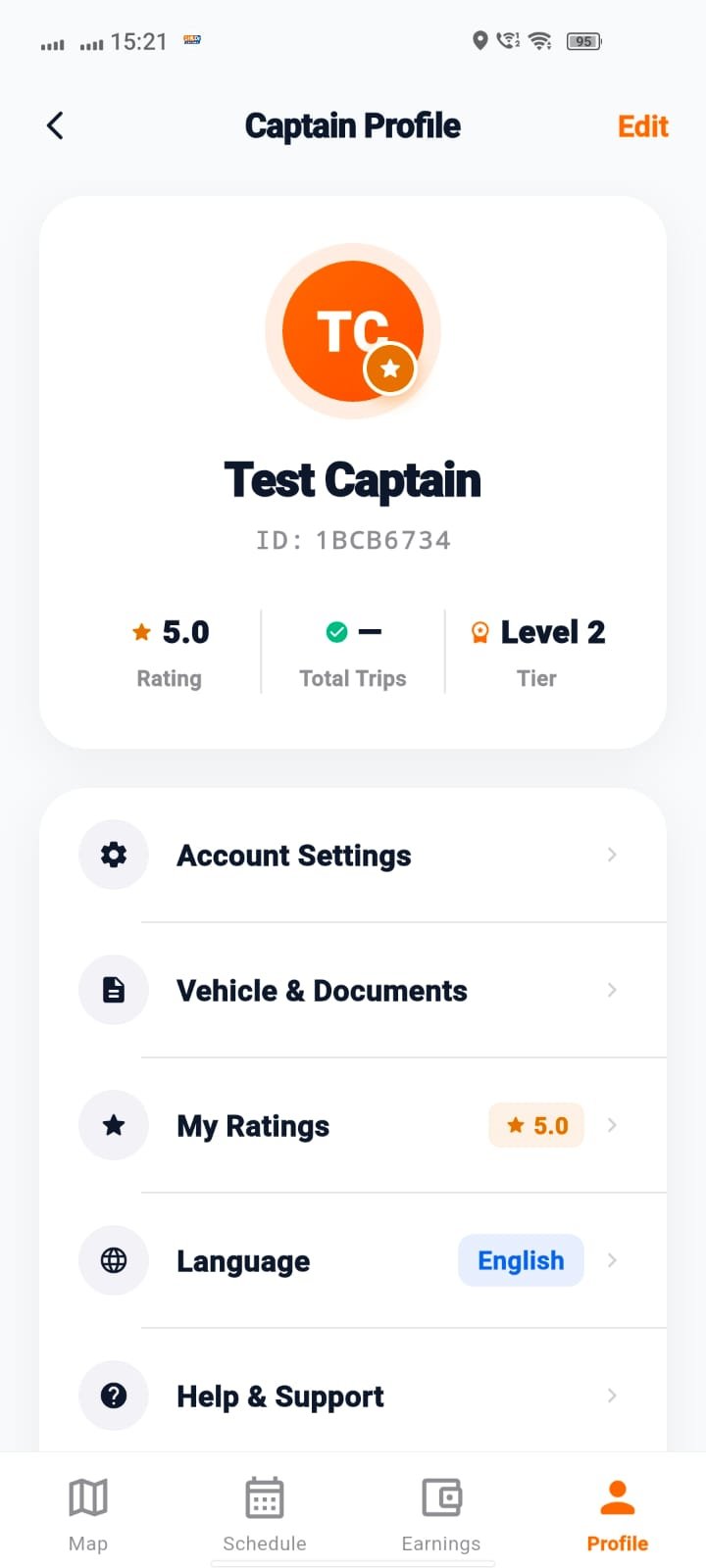
Captain Profile
The Captain Profile screen displays the captain's profile avatar, name, identification number, rating, total trips and tier information. An Edit option is available at the top of the screen.
The profile menu provides access to Account Settings, Vehicle & Documents, My Ratings, Language and Help & Support.
The bottom navigation remains available, allowing captains to move between Map, Schedule, Earnings and Profile.
PROFILE & ACCOUNT SETTINGSWant to Know More About This Project?
Contact Atoms Software to learn more about the SHLDr Captain mobile application interface and its emergency responder-focused features.